
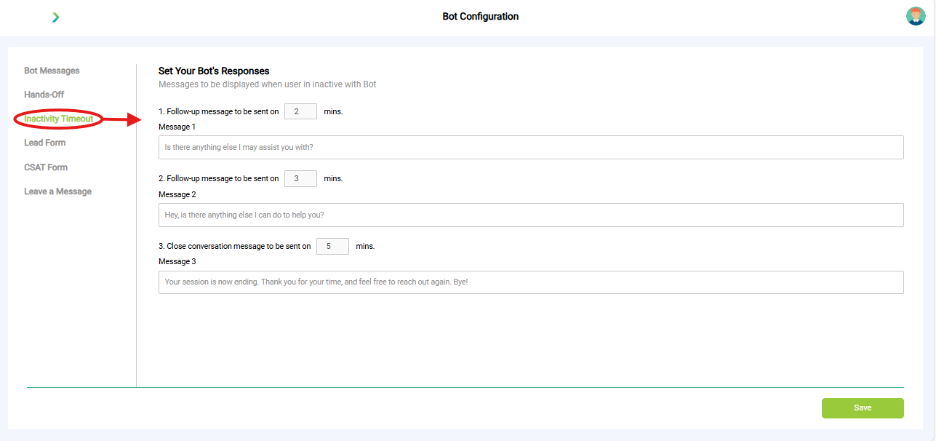
What you see:
- Follow-up Messages: Sent after specific periods of inactivity (e.g., 2 mins, 3 mins).
- Close Conversation Message: Sent after a longer period of inactivity (e.g., 5 mins).
- Politely ends the session and invites the user to reconnect if needed.
- Save Button
- Located at the bottom right to apply changes.
Why it matters:
- Keeps chats clean. Prevents abandoned conversations from clogging up reports.
What you need before this step:
- Decide after how many minutes inactivity should trigger reminders.
Outcome after action:
- Conversations end politely when users go idle.
Best practice:
- Example: Reminder at 2 mins, close at 5 mins.