
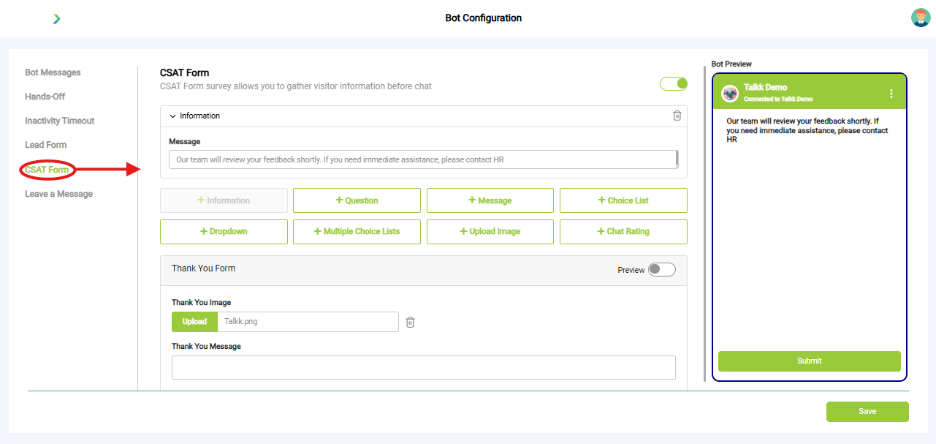
What you see:
- Message Field: Custom message shown to users before they submit feedback.
- Form Elements You Can Add:
- Information
- Question
- Message
- Choice List
- Dropdown
- Multiple Choice Lists
- Upload Image (highlighted)
- Chat Rating
- Thank You Form Section: Upload a Thank You Image. Customize the Thank You Message
- Bot Preview Panel: Shows how the CSAT form will appear to users, including the message and Submit button.
Why it matters:
- Tracks customer satisfaction and support quality.
What you need before this step:
- Decide feedback style (stars, text, dropdown).
- Customize thank-you note.
Customize thank-you note.
- CSAT data shows up in Insights → Reports.
Best practice:
- Keep questions short. Example: “How helpful was this chat?”