
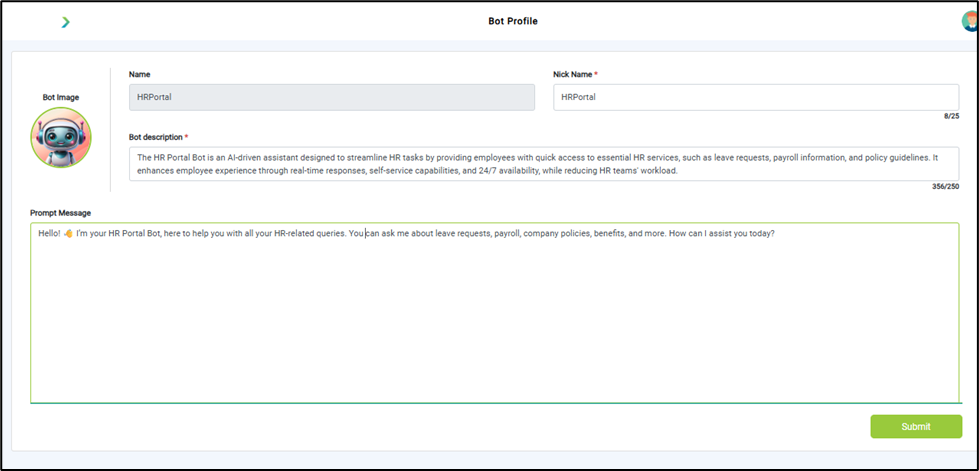
What you see:
- Bot Name → A unique identifier for your bot.
- Nick name → Name that appears on the bot interface
- Avatar → Choose from library or upload your own image.
- Description → A short summary of what this bot does.
- Prompt (Bot Personality) → Defines tone, style, and primary role of your bot.
Why it matters:
- Bot Name helps differentiate multiple bots.
- Nickname is what users see and interact with, making it more user-friendly
- Avatar makes the bot recognizable in chat.
- Description clarifies purpose for team members.
- Prompt ensures consistent responses and personality alignment.
What you need before this step:
- A clear bot use case (e.g., FAQ bot, lead-gen bot).
- Branding assets (logo/avatar image).
- Initial description of the bot’s purpose.
Outcome after action:
- Bot is created in draft mode.
- You’ll see confirmation pop-up.
Best practice:
- Keep the name short and descriptive (e.g., “SupportBot”).
- Use professional avatars (brand logo or mascot).
Write a clear prompt like: “You are a support assistant for XYZ company. Answer queries politely and guide users to resources.”