
What you see:
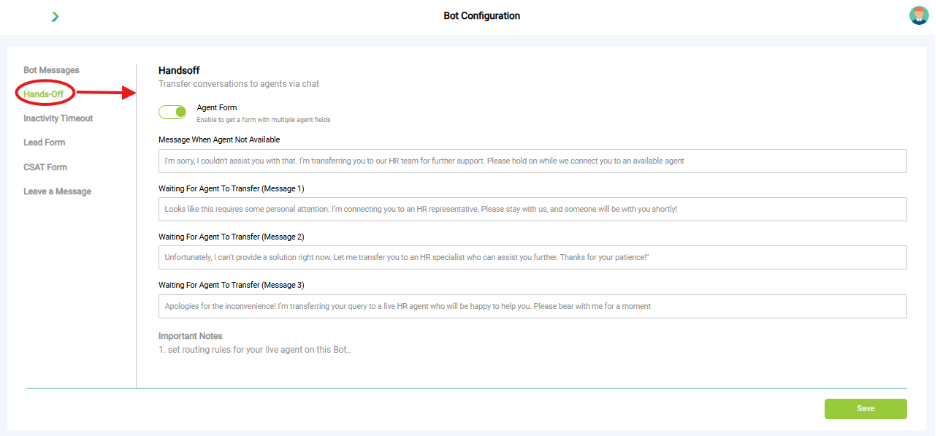
- Agent Form Toggle: Enables a form with agent-specific fields for smoother handoff.
- Message When Agent Not Available: Custom message shown when no live agent is available.
- Waiting for Agent to Transfer Message; Multiple customizable messages used while the bot connects the user to a live HR agent.
Why it matters:
- Defines when and how users get routed to human agents.
- Sets expectations during wait time.
What you need before this step:
- Decide which details you want before escalation.
- Agent availability hours.
Outcome after action:
- Smooth handover from bot → human.
Best practice:
- Always enable Message when Agent not available.
- Add at least 2 waiting messages to reassure users.