
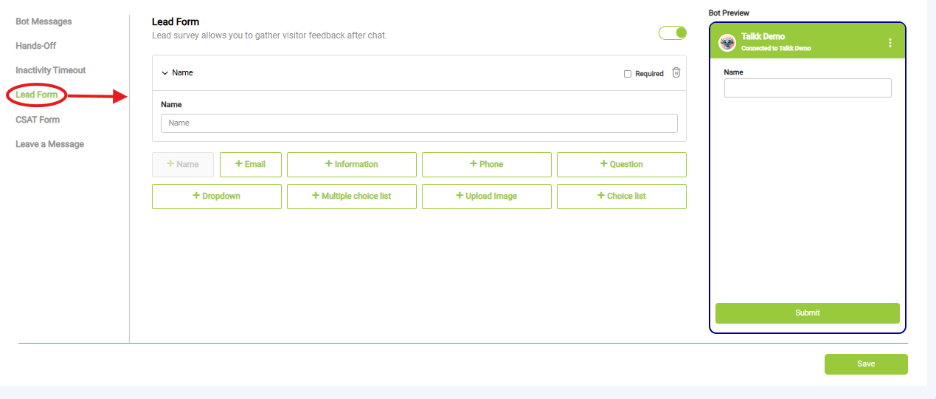
What you see:
- Field Types Available:
- Name
- Phone
- Information
- Question
- Dropdown
- Multiple Choice List
- Upload Image
- Choice List
- Required Field Toggle: You can mark specific fields as mandatory for submission.
- Bot Preview Panel: Shows a live preview of how the form will appear to users, including input fields.
- Save Button: Located at the bottom right to apply changes.
Why it matters:
- Captures business leads directly inside chat.
- Useful for demos, callbacks, registrations.
What you need before this step:
- Decide what user info you want.
- Map fields to your CRM if integrated.
Outcome after action:
- Leads collected automatically.
Best practice:
- Keep forms short (3–5 fields max).
- Add a thank-you message at the end.