
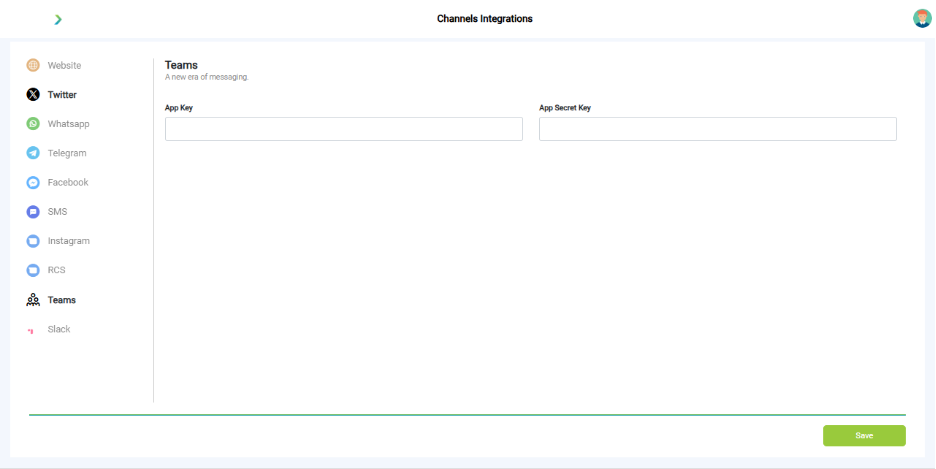
What you see:
- Fields for App ID and Secret.
- Azure setup link.
Why it matters:
- Enables internal enterprise use cases.
What you need before this step:
- Azure admin rights.
- App registration in Azure.
Outcome after action:
- Bot accessible in Teams workspace.
Best practice:
- Start with limited pilot team.
- Align with IT policies.
Troubleshooting
|
Symptom |
Why it happens |
What to do |
|
Bot not visible on website |
Snippet missing |
Paste code before </body> tag. |
|
WhatsApp template blocked |
Not approved by Meta |
Re-submit and wait for approval. |
|
Telegram not responding |
Wrong token |
Regenerate from BotFather. |
|
Facebook login error |
Missing permissions |
Reconnect with full access. |
|
SMS not delivered |
Wrong credentials |
Recheck API keys. |
|
Teams not connecting |
Invalid App ID/Secret |
Verify Azure setup. |
Best Practices
- Roll out one channel at a time.
- Test thoroughly before public launch.
- Always comply with channel policies (especially WhatsApp).
- Monitor performance per channel under Insights.
What’s Next?
- 💬 Converse → Manage live chats across channels.
- 📊 Insights → Measure channel performance.
- 🧑🤝🧑 Workspace → Organize your team for support.