
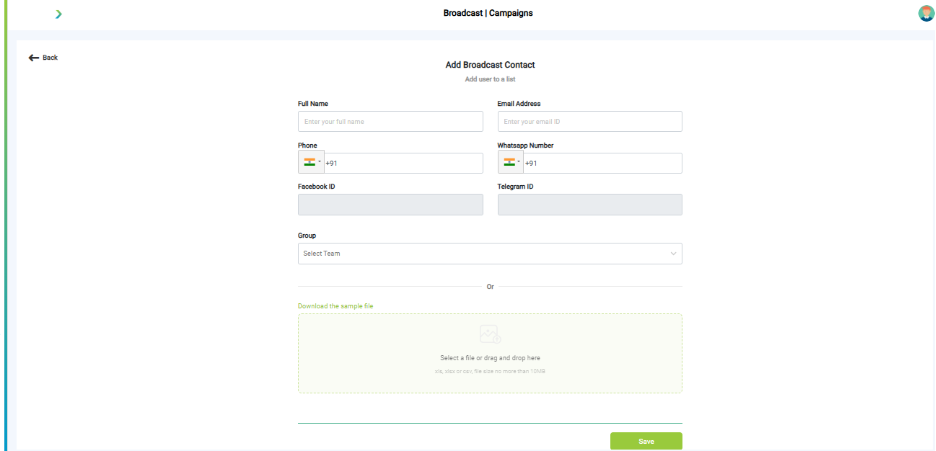
What you see:
- List of users with Name, Phone, Email, Tags.
- Options: Add manually or Upload CSV.
Why it matters:
- Address Book is your campaign audience. Segmentation is critical.
What you need before this step:
- Clean, validated user list.
- Tags to identify groups.
Outcome after action:
- Audience ready to receive campaign.
Best practice:
- Use tags like “Premium”, “Inactive”, “New Signup”.
- Clean lists regularly to remove invalid numbers/emails.
Troubleshooting
|
Symptom |
Why it happens |
What to do |
|
Campaign stuck in Pending |
Template not approved |
Check Templates tab, resubmit to Meta. |
|
Empty audience |
No users in Address Book |
Upload or add users. |
|
SMS/Email not delivered |
Wrong API/domain config |
Verify provider settings. |
|
WhatsApp messages failing |
User not opted in |
Ensure compliance with opt-in policy. |
Best Practices
- Schedule during local business hours.
- Always use approved, opt-in lists.
- Monitor delivery and open rates under Insights.
- Reuse templates across similar campaigns.
What’s Next?
- 💬 Converse → Handle replies from users.
- 📊 Insights → Track campaign performance.
- 🧑🤝🧑 Workspace → Manage campaign roles.